
Free Excel practice online is one of the easiest ways to develop valuable spreadsheet skills without spending money on expensive courses or software subscriptions. Whether you are a student, job seeker, office employee, supervisor, or business professional, knowing how to use Microsoft Excel confidently can make everyday tasks easier and more efficient.
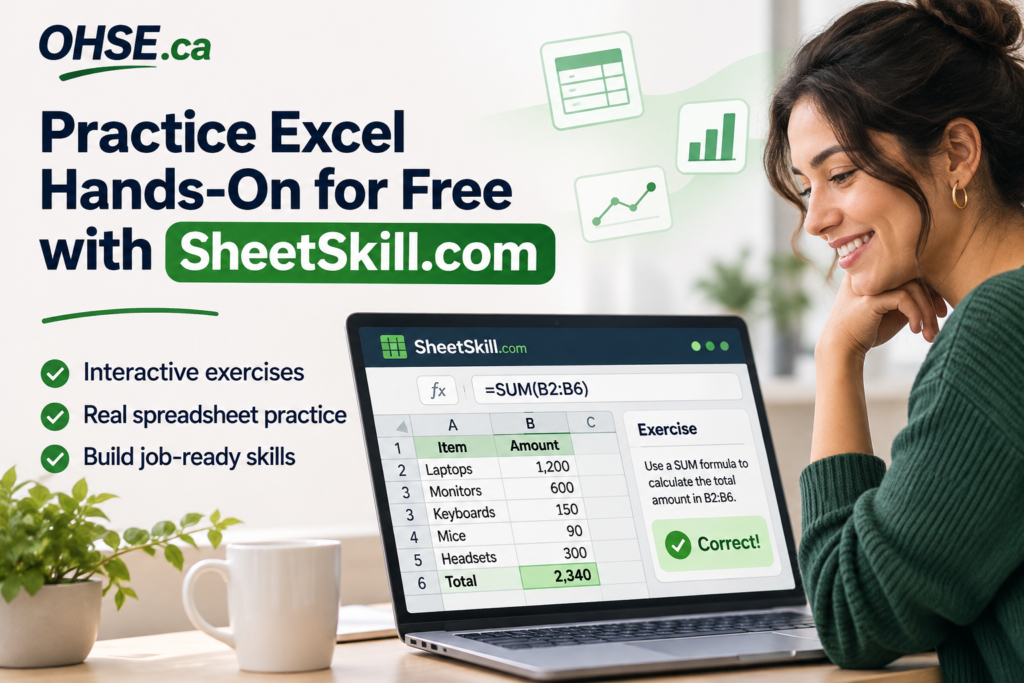
Excel is widely used for organizing information, preparing reports, calculating expenses, tracking inventory, and analyzing business performance. However, many people struggle to learn Excel because they spend too much time watching tutorials and not enough time practising.
That is where SheetSkill.com comes in.
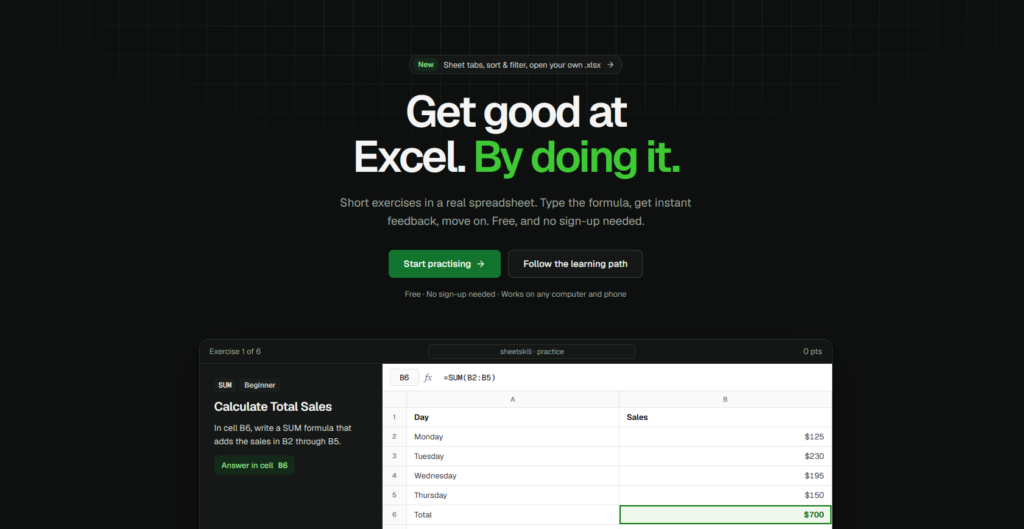
SheetSkill is a free, interactive Excel practice website designed to help people learn by actually working with spreadsheets. Instead of simply reading instructions or watching demonstrations, users can enter formulas, complete exercises, and receive immediate feedback.
- Why Excel Skills Matter in Today's Workplace
- What Is SheetSkill? A Free Excel Practice Online Platform
- Key Features That Make SheetSkill Worth Trying
- How Free Excel Practice Online Can Help Job Seekers
- Why Hands-On Practice Is Better Than Watching Tutorials Alone
- How to Get Started with Free Excel Practice Online
- Excel Skills for Workplace Health and Safety Professionals
- Build Your Confidence One Excel Exercise at a Time
- Final Thoughts: Start Improving Your Excel Skills Today
Why Excel Skills Matter in Today’s Workplace
Microsoft Excel remains a valuable skill across many industries. From healthcare and construction to finance, administration, and workplace safety, spreadsheets help professionals manage information accurately.
For example, Excel can be used to:
- Track employee attendance and training records.
- Maintain workplace inspection and safety checklists.
- Calculate monthly expenses and operating costs.
- Organize inventory and equipment information.
- Analyze sales, budgets, and financial reports.
- Create charts and summaries for management.
Professionals working in occupational health and safety may also rely on spreadsheets to organize inspection findings, incident records, and corrective-action tracking.
At OHSE.ca, we believe that continuous learning helps employees improve their workplace knowledge and professional capabilities. Alongside occupational health and safety training, practical digital skills such as Excel can support career development.
What Is SheetSkill? A Free Excel Practice Online Platform
SheetSkill is an interactive learning platform focused on improving Excel skills through practical exercises.
Unlike traditional learning websites that primarily provide videos or written explanations, SheetSkill allows users to work directly inside an Excel-style spreadsheet.
For example, imagine being given a small table containing weekly sales figures. Your task might be to calculate the total using the SUM function.
You would enter a formula such as:
=SUM(B2:B6)
The platform checks your answer and provides feedback, helping you understand whether the formula works correctly.
This approach encourages active learning rather than passive watching.
SheetSkill’s core practice features are free, and beginners can start practising without creating an account.
Key Features That Make SheetSkill Worth Trying
1. Interactive Excel Exercises
One of the most useful features of SheetSkill is its collection of interactive exercises.
Users can practise common Excel functions, including:
- SUM: Add numbers together.
- AVERAGE: Calculate the average of selected values.
- IF: Return different results based on a condition.
- COUNTIF: Count cells that meet specific criteria.
- SUMIF: Add values based on a condition.
- VLOOKUP and XLOOKUP: Search for information in tables.
- LEFT, RIGHT, and TRIM: Work with text data.
Exercises provide an opportunity to apply functions directly instead of memorizing their descriptions.
2. Instant Feedback on Answers
When learning Excel independently, it can be difficult to know whether a formula is correct.
SheetSkill addresses this challenge by checking answers during exercises.
If a formula is incorrect, learners can review the task, use available hints, and try again.
Immediate feedback makes practice more engaging and helps learners identify mistakes before they become habits.
3. Beginner to Advanced Learning Opportunities
Not everyone starts with the same Excel knowledge.
Some users are learning their first formulas, while others want to improve their understanding of logical functions, lookups, financial calculations, or data analysis.
SheetSkill organizes exercises into different function categories and difficulty levels, allowing learners to explore subjects that match their experience.
Beginners can start with simple calculations before progressing toward more complicated spreadsheet problems.
4. Practice Without Purchasing Microsoft Excel
A major advantage of SheetSkill is its browser-based spreadsheet environment.
Users can complete many Excel-style exercises without installing Microsoft Excel on their computer.
The website also includes a spreadsheet playground where users can experiment with formulas and create their own practice sheets.
Although this environment is not a complete replacement for Microsoft Excel, it offers a convenient place to strengthen spreadsheet skills.
5. Learn Through Practical Challenges
Reading about a formula is useful, but applying it independently is what builds confidence.
SheetSkill provides exercises that require users to work through spreadsheet problems.
For example, learners might calculate expenses, identify the highest value in a table, count matching records, or retrieve information from another column.
These tasks help connect Excel formulas with practical situations.
How Free Excel Practice Online Can Help Job Seekers
Many office and administrative positions involve spreadsheet work.
Employers may expect candidates to understand basic calculations, data entry, formatting, and commonly used Excel functions.
Some recruitment processes also include practical spreadsheet assessments.
For someone preparing for an office administration, bookkeeping, payroll, or data-related position, regularly completing Excel exercises can be useful.
Practising on SheetSkill can help learners become more familiar with the spreadsheet environment and improve their ability to solve problems independently.
However, completing exercises does not guarantee employment or success in a job assessment. It is best viewed as one part of preparing for workplace responsibilities.
Why Hands-On Practice Is Better Than Watching Tutorials Alone
Video tutorials can explain Excel features effectively, especially when introducing unfamiliar formulas.
However, watching someone complete a spreadsheet task is different from completing it yourself.
Consider learning to drive. Watching instructional videos may help you understand road rules, but becoming a confident driver requires actual practice.
Learning Excel follows a similar principle.
When you enter formulas yourself, you begin to understand cell references, function arguments, common errors, and the logic behind calculations.
A useful approach is to combine short tutorials with regular practice sessions.
Learners can explore the official Microsoft Excel support resources for explanations and use SheetSkill to apply what they have learned.
The combination of instruction and repetition can help strengthen long-term understanding.
How to Get Started with Free Excel Practice Online
Getting started with SheetSkill is straightforward.
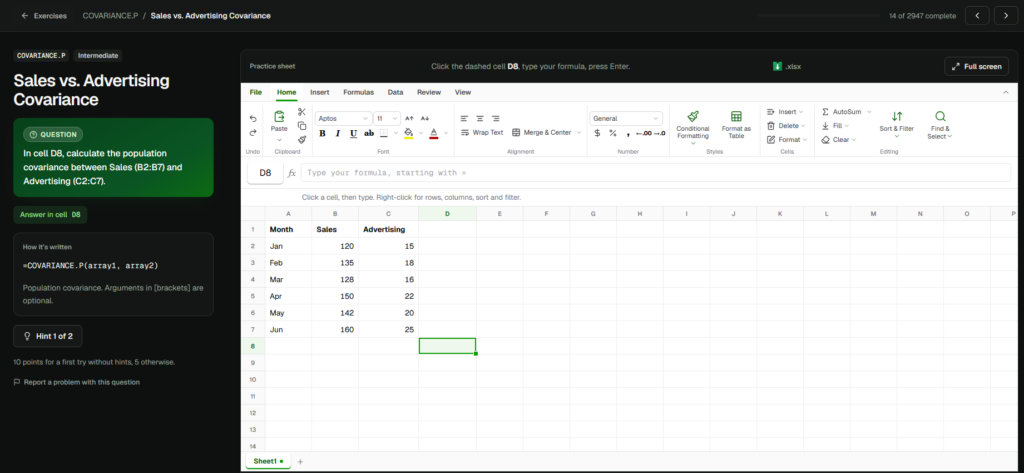
Step 1: Visit SheetSkill.com
Open www.sheetskill.com on your computer or mobile browser.
Step 2: Choose an Exercise
Navigate to the Excel practice exercises and select a function or learning category.
Step 3: Read the Instructions
Each exercise explains what you need to accomplish. Pay attention to the spreadsheet values, cell references, and expected result.
Step 4: Enter Your Formula
Type your formula into the appropriate cell within the interactive spreadsheet.
Step 5: Check Your Answer
Submit or check your response to see whether the formula produces the expected result.
Step 6: Continue Practising
Try additional exercises and explore different categories to broaden your knowledge.
Even a short daily practice session can be more productive than occasionally watching lengthy tutorials without applying the lessons.
Excel Skills for Workplace Health and Safety Professionals
Excel can be particularly useful for people working in occupational health, safety, and environment-related roles.
Safety coordinators, supervisors, and administrators frequently manage information that must be organized clearly and consistently.
For example, a safety coordinator might use a spreadsheet to track inspection dates, identify overdue corrective actions, or calculate completion percentages for employee training.
A function such as COUNTIF could help count inspections marked as completed, while conditional formatting could highlight overdue tasks.
Excel can support these administrative activities, although organizations should still use appropriate systems and controls for sensitive records, regulatory requirements, and official documentation.
Readers interested in strengthening their broader workplace knowledge can also explore the OHSE learning platform, which offers occupational health and safety awareness courses.
Build Your Confidence One Excel Exercise at a Time
Becoming comfortable with Excel does not require learning hundreds of formulas immediately.
Start with the fundamentals.
Learn how cells and ranges work, practise simple calculations, and gradually explore conditional formulas and lookup functions.
Consistency is more important than trying to master everything in one day.
For learners who want additional explanations, the SheetSkill Excel function library offers a reference for exploring different functions. Microsoft’s Excel documentation is another helpful resource for understanding the software’s capabilities.
By combining these resources with practical exercises, learners can develop a stronger foundation for future spreadsheet tasks.
Final Thoughts: Start Improving Your Excel Skills Today
Learning Excel is an investment in your personal and professional development.
Whether you are preparing for your first office job, improving your administrative skills, managing business information, or simply trying to become more productive, spreadsheet knowledge can be beneficial.
SheetSkill offers a convenient way to practise Excel formulas in an interactive environment without paying for its core exercises.
Instead of spending all your time watching tutorials, challenge yourself to complete a few exercises and apply what you learn.
Ready to improve your spreadsheet skills? Visit SheetSkill.com today and discover the benefits of free Excel practice online.
No comments yet