
If you manage workplace safety, your current risk assessment probably covers the obvious culprits: trip hazards, poor lifting techniques, or machine guarding. But there is a silent, creeping health hazard affecting more than half of your workforce every day. It doesn’t happen on a factory floor or a construction site—it happens right at their desks.
It’s called Computer Vision Syndrome (CVS), or digital eye strain, and it has quickly become one of the most widespread occupational health hazards of the modern hybrid era.
When your team spends seven to eight hours a day staring at digital displays, their eyes are working overtime. Unlike a printed page, digital screens have fluctuating contrast, glare, and emission levels that force our eyes to constantly refocus. Over time, this leads to a cluster of debilitating symptoms: blurred vision, severe dry eyes, chronic headaches, and radiating neck pain.
Fortunately, managing CVS doesn’t require a massive capital expenditure. It requires a systematic approach to workplace ergonomics.
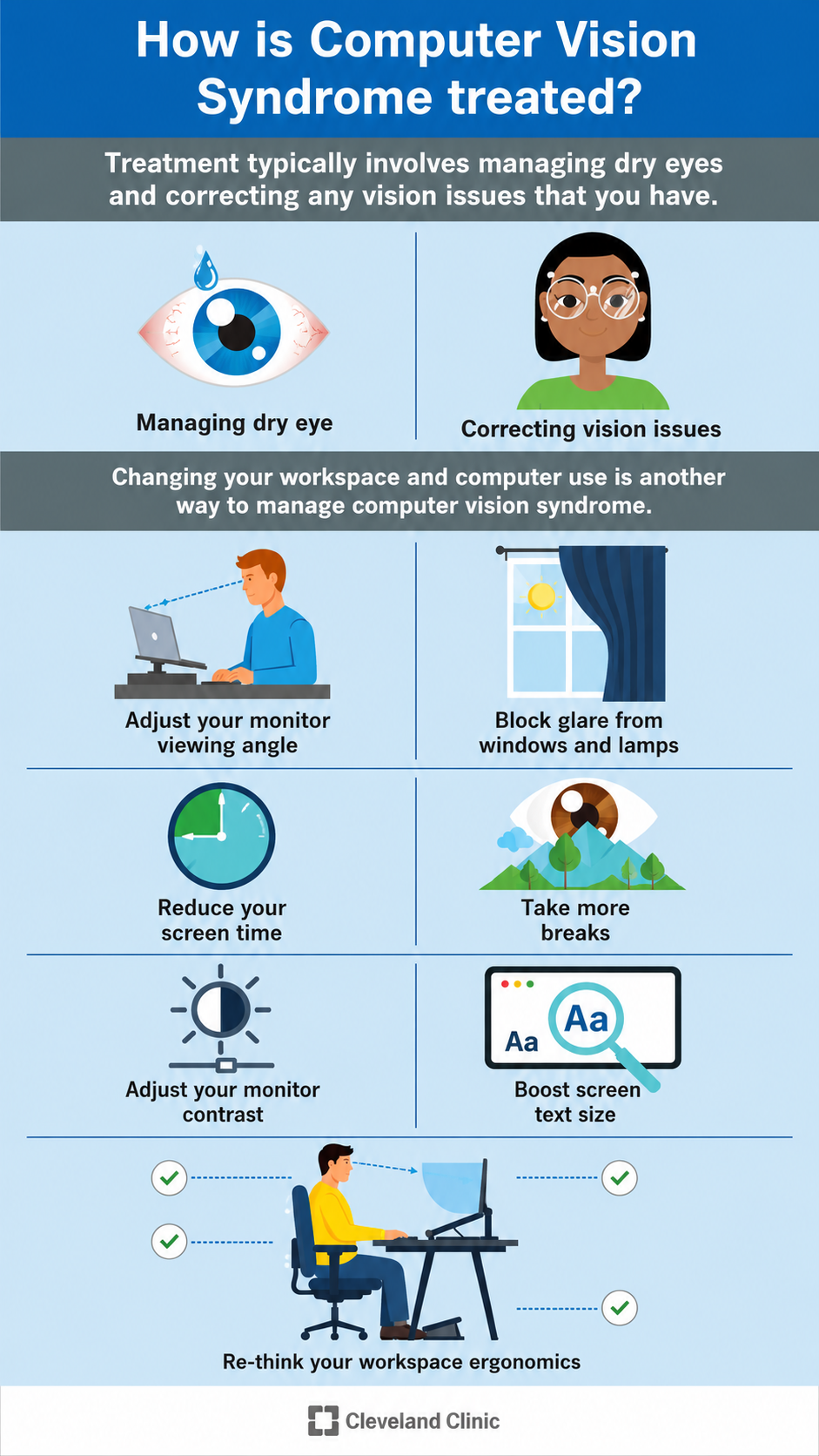
The 4-Step Desk Ergonomics Checklist to Combat Eye Strain
To mitigate this risk and keep your team comfortable, focused, and compliant, implement this four-step engineering and behavioral checklist. Notice how the visual above emphasizes adjusting your monitor angle, blocking glare, and taking regular breaks—these are the pillars of an eye-safe workspace.
1.Eliminate Screen Glare:Prerequisite.
Position computer monitors away from direct sunlight and overhead fluorescent fixtures. Harsh light bouncing off a screen forces the eyes to strain just to read text. If you cannot move the desk, install an anti-glare screen filter.
2.Optimize Monitor Placement:Height & Distance.
Set the monitor directly in front of the worker, about an arm’s length away (20 to 28 inches). The top of the screen should be at or slightly below eye level. This forces the eyes to look slightly downward, which lowers the eyelids and keeps the eyes from drying out.
3.Enforce the 20-20-20 Rule:Behavioral Control.
Our blink rate drops by up to 50% when staring at screens. Train your workforce to follow this rule: Every 20 minutes, look at something 20 feet away for at least 20 seconds. This resets the eye’s focusing muscles and triggers natural blinking.
4.Adjust Display Typography:Software Tuning.
Never let employees squint at small text. Ensure default font sizes are comfortably large. Additionally, adjust screen brightness so it matches the ambient light of the room, and use software-level blue-light filters during late-afternoon shifts.
Why CVS is a Hidden Drain on Business Performance
From a strict risk-management perspective, ignoring eye strain is a costly mistake.
While it rarely results in a worker’s compensation claim, CVS is a leading driver of presenteeism—the state of employees showing up to work but functioning at a fraction of their capacity due to physical discomfort. A worker dealing with a splitting headache or blurred vision makes more errors, processes data slower, and suffers from rapid mental fatigue.
The OHS Takeaway: Ergonomics is not just about expensive chairs or lumbar support. True occupational safety extends to the sensory environments we place our workers in. By integrating visual health into your standard workstation assessments, you protect your team’s long-term health while protecting your operational efficiency.
References
- Hon, C. Y. (2025). Editorial: Innovative prevention strategies for occupational health hazards. Frontiers in Public Health, 13.
- Cleveland Clinic. (2023). Computer Vision Syndrome (Digital Eye Strain).
No comments yet